
Pura
PuraHouse & Home
4.41.73K Reviews
- Version
- 3.14.15 (0)
- Installs
- 100.00K
- Age Rating
- Everyone
Screenshots
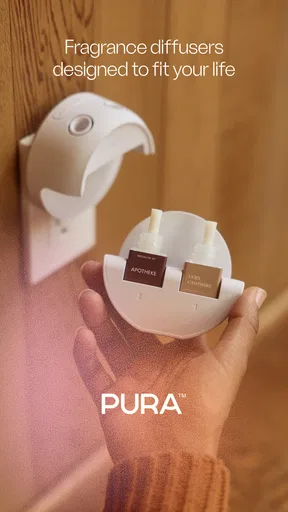
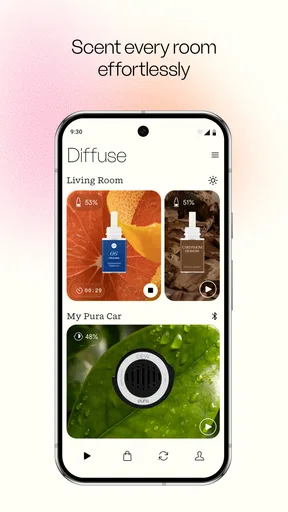
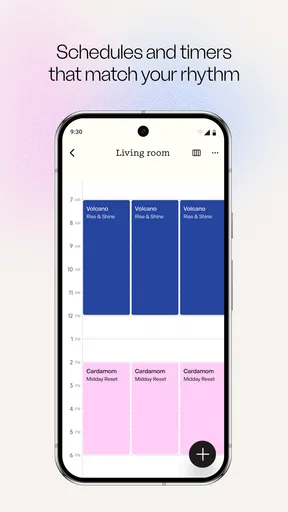
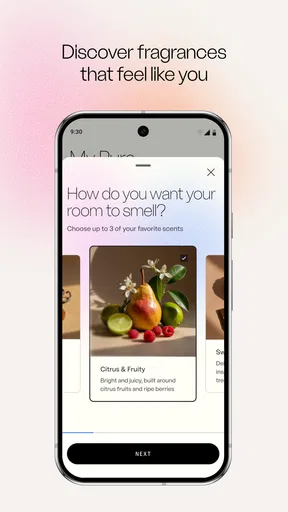
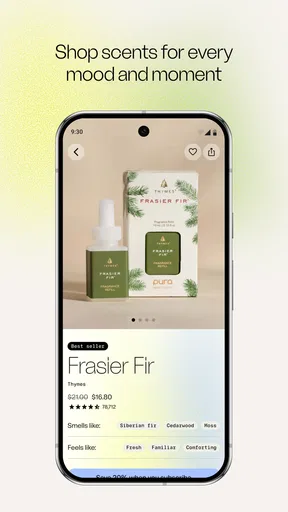
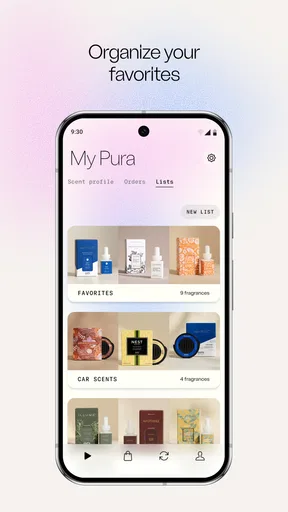


Our Review of Pura
 Analysis by Appyee
I found Pura most useful when I stopped thinking of it as another smart-home dashboard and treated it as a simple remote control for the atmosphere in my home and car. The app is built around scent management: instead of adjusting a device by hand, I can use my phone to make changes from a more convenient place. That sounds narrow, but it becomes surprisingly practical when I want a room to feel ready before guests arrive or when I am settling into the car for a longer drive.
Pura is a free House & Home app from Pura, aimed at people who already use compatible Pura scent hardware and want phone-based control. It is available to an Everyone audience, so the presentation is approachable rather than technical. The app has been around since Jul 26, 2017, and its current release is version 3.14.2 (0), with support beginning at Android 7.1. That broad device compatibility is helpful if you are using an older phone rather than a recent flagship.
My overall impression is positive, with one important qualification: the app makes the most sense as part of the Pura setup, not as a standalone fragrance discovery tool. If you do not have the related hardware, there is little reason to install it. If you do, the phone control can remove a lot of small annoyances from everyday use. The app holds a 4.4 average from around 3.5 thousand ratings, and it has passed over 100 thousand installs, which gives a reasonable indication that it has found a steady audience without making it feel like an overcomplicated platform.
What using Pura actually feels like
At its best, Pura turns scent control into something I can fit around my routine. I do not need to walk across the room to make an adjustment, and I do not have to treat fragrance as an all-or-nothing decision. The useful mindset is to make small changes based on the moment: a lighter atmosphere while working, a more noticeable one before company arrives, or no scent at all when I want the room neutral.
The same idea carries over to the car. A vehicle can feel stale after sitting unused, especially after a commute or a period of closed windows. Having control from a phone is more convenient than reaching for a physical control in an awkward location. It also means I can think about the car before getting in, rather than trying to solve the problem once I am already driving.
That convenience is the app’s main strength. It does not try to replace every smart-home function, and I would not choose it if I wanted a single application to manage lights, thermostats, security equipment, and appliances. Pura is more focused. Its value comes from giving one part of the home experience a clear place on my phone.
The first-time experience is easier if you set realistic expectations. You are not downloading an app that creates fragrance by itself. The app is the control layer, while the compatible Pura equipment does the physical work. That distinction matters because a new user may otherwise open the app and wonder why there is nothing meaningful to adjust yet.
Before installation: prepare for a hardware-led setup
My advice is to have the Pura device nearby before opening the app. The first useful goal is not to explore every screen; it is to connect the app with the equipment and reach a point where a phone command produces an obvious change. Keeping the device close makes that process feel more deliberate and reduces the chance of mistaking a setup issue for an app problem.
I would also decide where you want to begin. A home setup and a car setup solve different problems, so the first test should match the place where you are most likely to use the app. If you spend most of your time at home, start with one room rather than trying to organize every possible location immediately. If the car is your main reason for installing Pura, test it while parked and give yourself enough time to understand the controls without the distraction of driving.
Starting small has another benefit: it gives you a baseline. You can notice what the scent feels like at a low setting, how quickly you personally find it noticeable, and whether you prefer making changes manually or leaving the setup alone. Those observations are more useful than making several adjustments at once and then not knowing which one made the difference.
Getting from installation to a working control
Once the app is installed, I would move through the setup in a calm sequence: open Pura, identify the relevant device, complete the connection process, and then look for the control that changes the experience. The exact screens may vary with the equipment you own, but the principle is consistent. Do not spend your first session browsing before confirming that the app can communicate with the device.
The first meaningful success should be something you can verify immediately. Make one modest change, wait long enough to notice the result, and then return the control to your preferred level if necessary. This is better than assuming that a button worked just because the screen changed. A physical result is the reassurance a first-time user needs.
If the connection does not behave as expected, I would avoid repeatedly tapping the same control. First check the simple things: the phone is near the hardware, the correct device is selected, and the equipment is ready to respond. Closing and reopening the app can also be a sensible reset for a temporary display problem. The important point is to troubleshoot one variable at a time rather than changing several settings and losing track of what happened.
For a home user, the first successful action might be adjusting the scent in a living area while sitting elsewhere. For a car user, it might be preparing the cabin before a trip. Both examples show what makes Pura different from a physical control: the action is separated from the device by convenience rather than distance alone.
A realistic everyday routine
Imagine coming home after work and wanting the living room to feel less flat before you start cooking. I would open Pura, select the relevant setup, make a restrained adjustment, and then leave the phone alone. Later, if the room becomes too noticeable, I can reduce it without interrupting dinner or searching for the device behind furniture.
Another useful routine is preparing for visitors. Instead of turning the scent up dramatically at the last moment, I would make a small change earlier and judge the room after it has had time to settle. This avoids the common mistake of creating an atmosphere that feels overpowering at the doorway. Pura is most comfortable when used for gradual control, not frantic correction.
In the car, I would make changes only while parked. The convenience of phone control is not a reason to interact with a screen during a journey. A good workflow is to prepare before leaving, keep the setting modest, and make any later adjustment after arriving. That approach preserves the practical benefit without turning a comfort feature into a distraction.
Where new users can become confused
The biggest source of confusion is usually the relationship between the app and the physical device. Pura is not a general fragrance catalog that works independently of hardware. Its useful controls depend on the setup it is connected to, so an empty or limited experience before pairing should not be surprising.
Another point is that scent is subjective and environmental. A setting that feels subtle in a large room may feel much stronger in a small car. Air movement, room size, and personal sensitivity all affect the result. I would not copy someone else’s preferred level and assume it will feel the same in my space. The better method is to begin conservatively and adjust after experiencing the result.
It is also easy to confuse convenience with automation. Phone control makes an action easier, but the app should not be treated as a guarantee that every situation will feel identical. A room changes throughout the day, and a car changes even more quickly with temperature and airflow. I found Pura more useful when I checked the real environment rather than expecting one setting to solve every occasion.
For that reason, I recommend giving the app a short adjustment period. Use it in one familiar location, notice how much control you actually need, and only then decide whether it deserves a regular place in your routine. This approach prevents overcomplicating a fairly focused tool.
Small techniques that make the experience better
One practical technique is to use a “minimum noticeable” setting as your personal reference point. Rather than chasing a strong scent, I would find the lowest level that changes the room for me and treat that as the starting point. It is easier to increase from there than to recover from an atmosphere that feels too intense.
A second technique is to separate preparation from correction. If I know guests are coming, I would make the change before they arrive and then reassess. If I wait until the last minute, I am more likely to over-adjust because I have not allowed the space to settle. This is especially relevant in a car, where a small cabin can respond differently from a living room.
A third is to keep the first setup intentionally simple. If you have access to more than one compatible location or device, resist the temptation to configure everything in one sitting. Establish a reliable routine in one place first. Once you know how the controls feel and how quickly you notice changes, adding another location becomes easier and less confusing.
Finally, treat the phone as a convenience rather than the only way to interact with your environment. If you are already beside the device, a direct adjustment may be faster. The app earns its place when it lets you prepare, make a change from a comfortable position, or manage a location that is inconvenient to reach.
How Pura compares with ordinary alternatives
The usual alternative is a manual scent product or a physical control on the device itself. Those options can be perfectly adequate if you prefer a fixed routine and do not care about remote adjustments. They may also feel simpler for someone who does not want another app on a phone.
Pura’s advantage is the separation between where I am and where the scent device is. That matters in a home with furniture, in a room I am preparing before entering, or in a car where reaching for controls is inconvenient. The trade-off is that the app introduces another layer: I need the phone, the app, and the connected setup to cooperate.
Compared with a broad smart-home application, Pura is less ambitious but easier to understand within its specific purpose. I would choose the broader platform if my priority were combining many types of equipment in one place. I would choose Pura when scent and ambiance are the main concern and I want a dedicated control experience rather than a crowded dashboard.
Compared with doing nothing beyond a fixed fragrance routine, Pura offers more flexibility but also invites more tinkering. That is useful for someone who likes fine adjustments. It is unnecessary for someone who wants to set a scent once and forget about it. The right choice depends less on technical ability than on whether phone-based control solves a real inconvenience.
Who should use it, and who should skip it
I think Pura is a good fit for people who already own compatible Pura equipment, regularly adjust the feel of a room or car, and appreciate being able to make changes without standing beside the device. It is also approachable for first-time smart-home users because the purpose is narrow and easy to explain.
It can be particularly helpful for someone who hosts guests, moves between rooms, or wants the car to feel prepared before a journey. People who are sensitive to strong scents may also appreciate the ability to make smaller corrections rather than relying on a single physical setting.
I would skip it if you do not plan to use Pura hardware, if you dislike managing device-specific apps, or if your preferred alternative is a completely passive fragrance product. I would also avoid making it the center of your routine if interacting with a phone feels like more work than simply adjusting the device by hand.
The app is free, and its Everyone age rating makes it broadly accessible, but those points do not change the central requirement: its usefulness comes from the connected Pura experience. The free download is a low-risk way to explore the interface, yet the meaningful test begins only when the app and hardware work together.
What I would do after the first successful action
After confirming that one command works, I would not immediately chase every available option. I would use the app for several ordinary moments: a quiet evening, a room that needs a lift, and a parked-car preparation before a trip. That gives a much clearer sense of whether Pura is genuinely saving effort.
I would also note which adjustments I repeat. If I keep making the same change, that tells me the app is solving a recurring need. If I open it only to look around and then return to a manual routine, the hardware may be better suited to my habits than the phone interface is.
For troubleshooting, I would keep the process practical: confirm the selected device, stay close during the first connection, test one change at a time, and avoid using the phone while driving. These habits address the most likely points of friction without turning a simple home accessory into a technical project.
Pura is not a universal smart-home solution, and it does not need to be. In my experience, its focused design is precisely why it can feel useful when the situation matches. It gives home and car scent control a convenient phone interface, while leaving the final judgment to my senses and my routine.
My recommendation is straightforward: if you already use Pura hardware and want easier control from your phone, this is worth trying. Start with one location, make one modest adjustment, and judge the result in real life rather than by exploring menus. If that first small success removes an everyday annoyance, Pura has earned its place. If manual control already feels effortless, the app may be more optional than essential.
Privacy and Permissions
See what permissions an app requests and how it handles your data.
- Location
- approximate location (network-based), precise location (GPS and network-based)
- Photos/Media/Files
- read the contents of your USB storage
- Storage
- read the contents of your USB storage
- Camera
- take pictures and videos
- Wi-Fi connection information
- view Wi-Fi connections
- Other
- view network connections, pair with Bluetooth devices, access Bluetooth settings, connect and disconnect from Wi-Fi, full network access, run at startup, reorder running apps, control vibration, prevent device from sleeping, read Google service configuration
Verdict
Strengths of Pura
- Simple interface makes daily use quick and easy.
- Useful features are organized clearly for new users.
- Runs smoothly on most modern Android and iOS devices.
- Regular updates can improve stability and add helpful refinements.
- Convenient access makes it practical for everyday routines.
Limitations of Pura
- Some features may require an account or additional permissions.
- The free version may include advertisements or usage limits.
- Options for advanced customization can feel somewhat limited.
- Performance may vary on older phones or slower connections.
- Privacy details should be reviewed before sharing personal information.
Similar Picks in This Category
View All
Universal TV Remote Control
CodeMatics Media Solutions3.9

AlfredCamera Home Security app
Alfred Systems Inc.4.7

Planner 5D: AI Home Design
Planner 5D4.5

Universal Tv Remote-Cast to TV
One Music Player4.1

Zillow: Homes for Sale & Rent
Zillow Group4.8

99acres Buy/Rent/Sell Property
infoedge.com4.3
Frequently Asked Questions
What is Pura and what can I use it for?
Pura is a mobile application designed to help users manage and improve their everyday wellness routines through a simple, accessible interface. Depending on the features available in your region, it may provide tools for tracking activities, organizing personal goals, viewing helpful information, or maintaining healthier habits. Before downloading, review the current store description because features and supported services can vary between Android and iOS versions.
Is Pura free to download and use?
Pura can generally be downloaded without an upfront charge, but some features may require in-app purchases, a subscription, or an account upgrade. The free version may include limitations such as restricted content, fewer customization options, or advertisements. We recommend checking the pricing section in the Google Play Store or Apple App Store before installing, especially if the app offers a free trial that automatically renews.
Does Pura require an account or personal information?
Pura may ask you to create an account so it can save your preferences, synchronize information, and provide a more personalized experience. Depending on how you use the app, it could request details such as an email address, profile information, or activity-related data. Read the privacy policy carefully and only provide information you are comfortable sharing. Also check whether guest access is available.
Is Pura safe to use on Android and iPhone?
Pura should be downloaded only from its official listing on Google Play or the Apple App Store to reduce the risk of installing an imitation or modified version. Before using it, review the developer name, recent user ratings, requested permissions, and privacy disclosures. If the app requests access that seems unrelated to its main purpose, consider denying that permission or avoiding installation until you understand why it is needed.
Does Pura work offline, and what devices does it support?
The availability of Pura’s features without an internet connection depends on the specific tool you are using. Basic settings or previously downloaded information may remain accessible offline, while synchronization, account services, updates, and online content usually require mobile data or Wi-Fi. Compatibility can also depend on your operating system version, so confirm the minimum Android or iOS requirements on the official store page before downloading.
